How can you create an easy shortcut to your favorite websites on your ipad? Watch the following video....
This is the coolest tip since sliced bread :) I can see this being useful for teachers that would like to create a folder on the ipad with shortcuts to sites that they would be using for any subject. Let's try it now...
This is a wonderful website for teachers that would like some resources and information about reading. I even put one of their widgets on my blog site...it was super easy!
Here are a few Spelling Apps that the Reading Rockets group has shared: Click Here
I was told that I needed to also share the Electric Company Wordball app (Free) from the Reading Rocket list. This is a newly released app and here are some of the features:
The use of videos with music relating to the phonics, example "silent e" "soft c".
Students get to see how fast they can be to when grabbing word balls during music videos.
Player uses the word balls to create words with that sound.
Videos are locked until they pass the previous lessons.
I can see teachers use this app for an introductory into the letter sounds.
Since we are on the topic of Reading, wanted to pass this fun video along of a great book!!! I could see students having the actual book in hand and turning the pages along with the video, this is the actual author and James Dean. Enjoy!
Here is a few screen shots that will show you how to use the "News Snapshots" piece of the USA Today app. When you launch the app your screen will look like this. You will need to scroll the left side of the screen and there you will find the "News Snapshots".
There is a new snapshot for each day and they are broken down into News, Money, Sports, and Life. Each day the topic has a unique graph and some related information on the left side of the screen, on the right is the question for the day. Make your choice and the results will appear. Notice that you can analyze the data between overall, your state, and your city results.
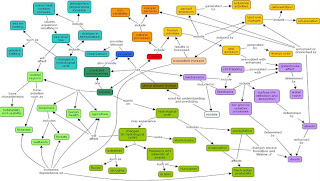
Last year I took a class where we discussed concept maps. We thought about how teachers could tell if a student understood the concept that they were mapping...what would it look like...here are a couple examples:
Notice that example 1 has links that are linking one thought (node or circle) and nothing seems related, don't get me wrong, this is a great start and could be the work of a younger student. Now look at example 2, there are more nodes (circles) and a couple of the linking phrases that link multiple nodes. This student understands that global warming has some ideas that are interrelated.
The more links seems to show that the student understands the concept, check out the example about culture...you will notice it is hard to follow...this shows a strong understanding of the concept and the interrelated nodes.
I also thought it would be helpful to show some examples of maps from different grade levels...Hope this was helpful....
Topics for K-2
Fairy Tales or Picture Book Stories
Animals, Insects, Plants
Shapes
http://www.mindmapart.com/blog/page/2/
This is a drawing, but I wanted to show this concept map because there are some words, but many pictures. I'm wondering if students in K-1 would produce concept maps that had pictures and smaller words? Most of the apps recommended allow pictures to be imported onto the maps.
Our school had designated a wiki page with a table that is broken into categories, like the one below. Since we use a wiki, users have access and the ability to add other apps to the page.
We also use these categories to create folders that make it easier for students to find particular apps. The video below shows how to create folders on your ipad.
Let's talk about student motivation for a bit. Sometimes we need to encourage our students with things that spark their interest or are motivational. I put together a list of apps that students might find motivating as a reward (ex. earning minutes on ipad for behavior, completing homework, being a good classroom citizen, etc.), here's what I came up with:
Last week my youngest son had a big social studies test and he wanted me to help him study. At first I would read the definitions and he would tell me the vocabulary term, this didn't work so well. I felt he needed more time to study by himself before I could quiz him.....which brings me to the topic of this blog....studying!
Spelling City is another site that runs on the ipad by using the Safari app and you guessed it, a good way to learn your spelling words!
Other notable apps to help students study:
Evernote Peek--this app looks motivational for students, might take some time to prep, but think it would be good! Will only work on the ipad2 with the magnetic smart cover. Flashcards app Study Aid app
I'm interested to hear if there are any other study helpers that will run on the ipad....