Showing posts with label concept mapping. Show all posts

Wednesday, April 17, 2013

Teaching Symmetry

Teaching Symmetry

In the new Common Core State Standards for Mathematics, symmetry is mentioned in the fourth grade 4.G.3 standard:

Draw and identify lines and angles, and classify shapes by properties of their lines and angles.

3. Recognize a line of symmetry for a two-dimensional figure as a line across the figure such that the figure can be folded along the line into matching parts. Identify line-symmetric figures and draw lines of symmetry.

Thinking about how to add technology to enhance teaching symmetry, here are a few ideas.......

Get students to move around the classroom, school, or playground with the iPad and take pictures of objects they believe contain a "line of symmetry". Then use the Explain Everything ($2.99) to place the picture on the screen while placing a line of symmetry through the object. The nice aspect of this app is creating a video recording of the student placing the line of symmetry through the photo. Here is a simple sample video of this activity:


Geoboard (Free) Students can create shapes with the Geoboard app, take photo by clicking on the home button and power button at the same time. Then use the Explain Everything app to create lines of symmetry on the shapes that were created through Geoboard.


Concept Mapping is another strategy when learning symmetry. The following free versions of Sticky Notes (Free) and Inspiration Map (Free) will give you a start. Both of apps can be updated and give more options that may be useful when working with concept maps.

Inspiration Map Example (the lite version does give you the options to embed photos):


Sticky Notes Example (the free version does not allow you to embed photos):


Symmetry Shuffle ($1.99) The app explores line and rotational symmetry through the use of turns, flips, and slides. This app may look like a no-brainer, but trust me it takes some thoughtful thinking to work through each level. Teachers watching their students use this app can periodically have their students demonstrate which move would be a slide, flip, or turn and even give the alternate vocabulary word (translation, reflection, rotation).


Mandalar ($.99) is an inexpensive app if you are looking for virtual pattern block manipulatives. If students were in pairs, the first student could create a shape using the blocks and the second student would create a symmetrical image right next to the original.


Monday, January 16, 2012

Crazy for Concept Mapping

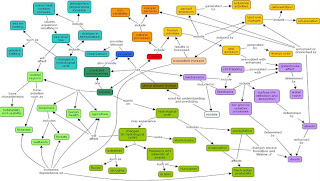
Last year I took a class where we discussed concept maps. We thought about how teachers could tell if a student understood the concept that they were mapping...what would it look like...here are a couple examples:


Example 1
Photo from: http://www.pen.eiu.edu/~mewatts2/concept%2520map.html

Example 2
Photo from: http://2005-w08.wikispaces.com/mmastrof_project1_examples


Notice that example 1 has links that are linking one thought (node or circle) and nothing seems related, don't get me wrong, this is a great start and could be the work of a younger student. Now look at example 2, there are more nodes (circles) and a couple of the linking phrases that link multiple nodes. This student understands that global warming has some ideas that are interrelated.


The more links seems to show that the student understands the concept, check out the example about culture...you will notice it is hard to follow...this shows a strong understanding of the concept and the interrelated nodes.


Example 3
Photo from: http://2005-w08.wikispaces.com/mmastrof_project1_examples


Recommended Apps
Here is a list of apps that would be work well for concept mapping in grades K-8. 

MindMeister (Free)

Simple Mind (Free Version)

MindNode ($9.99)


Popplet (Free Version)

iThoughtsHD ($9.99)


Kidspiration ($69.99 Yikes)


I also thought it would be helpful to show some examples of maps from different grade levels...Hope this was helpful....


Topics for K-2

  • Fairy Tales or Picture Book Stories
  • Animals, Insects, Plants
  • Shapes
http://www.mindmapart.com/blog/page/2/

This is a drawing, but I wanted to show this concept map because there are some words, but many pictures. I'm wondering if students in K-1 would produce concept maps that had pictures and smaller words? Most of the apps recommended allow pictures to be imported onto the maps.

Topics for 3-5

  • Quadrilateral
  • Forms of Energy
  • Natural Disasters
http://educationforatoz.com/images/_9_Haiyue_Jin_and_Khoon_Yoong_Wong.pdf

Topics for 6-8

  • Vocabulary throughout a unit, have students place new words on the concept map making connections.
  • Book Genres
  • Wildlife and Contaminants
http://www.inspiration.com/sites/default/files/images/examples/TheGlassMenagerie_DV_big.png

And last....thought I would share this fun video about creating maps..It would be fun for students to do this type of map and video it with the Ipad.


Concept Mapping Lesson Plan....worth looking at!
Concept Mapping Resources